
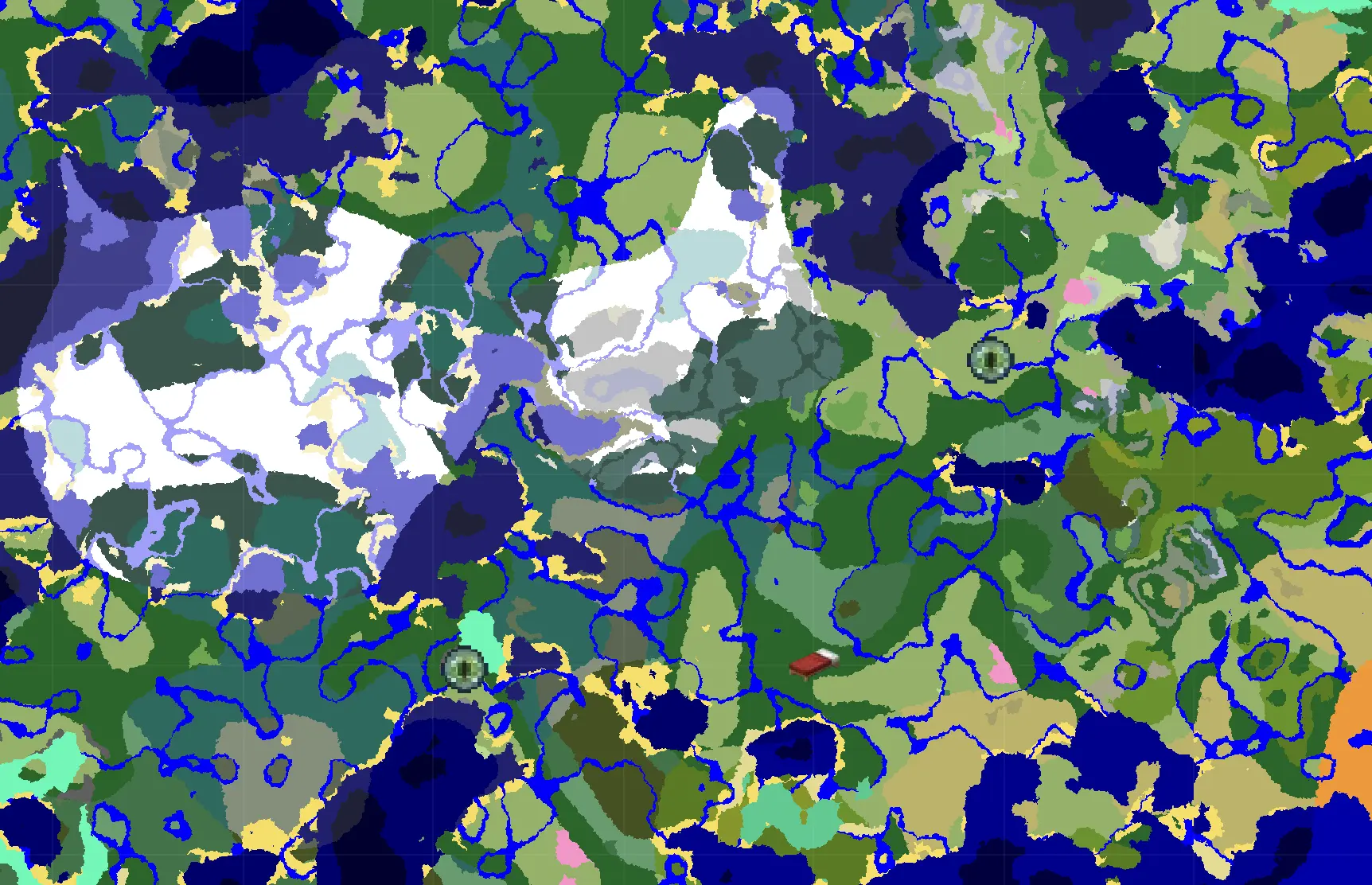
A Faster Way to Explore Minecraft Seeds with the Interactive Seed Map
If you’ve ever found a promising seed and wanted to look around before loading Minecraft, this update is for you.
Today, I’m officially rolling out the Seed Map Overhaul. It’s faster, it’s smarter, and it’s integrated directly into the heart of MCSeedShare.
The Seed Map page
The dedicated Seed Map page lets you inspect any Minecraft seed in your browser.
From the map, you can:
- Explore Any Seed: Just type in a seed number (or some random text!) and watch the map generate instantly.
- Java & Bedrock Support: Choose the edition and version that matches your world, including supported snapshots and experimental versions.
- Switch Dimensions: Toggle between the Overworld, Nether, and End to inspect the same seed in each dimension.
- Find Your Way: Center on spawn, zoom in on interesting biomes, and see exactly what’s waiting for you at any coordinate.
Found a Gem? Publish it!
The "Publish Seed" button is available right on the map. If you find a triple-mansion spawn or an unusual mountain range, you can publish it without copying the seed number into another form.
Interactive Maps on Every Seed Page
I didn't just stop at a new page. I’ve also brought that same mapping power to every single seed page on the site.
When you're looking at a seed, you'll now see a new Map icon in the image switcher. Clicking it will load an interactive biome preview of that exact seed. You can scroll around, check the coordinates of nearby structures, and see if the "vibe" is right for your next survival world.
Built with Cubiomes
The map uses the cubiomes engine in the browser, so the terrain is generated from Minecraft's world-generation code rather than drawn as a rough approximation.
You get the same reliability as the "big" desktop tools, but right here in your browser, and it's fast enough to keep up with your scrolling.
Go Explore!
The new Seed Map and integrated previews are live right now. Head over to the Seed Map to start hunting, or check out your favorite seeds to see their new interactive previews.
If you find an interesting world, publish it and let the community see what makes it special.
Happy exploring,
- — The MCSeedShare Team